


Minnesota Child Care Website Checklist: 12 Essentials Parents Need Before They Contact You

Minnesota Child Care Website Checklist: 12 Essentials Parents Need Before They Contact Yo
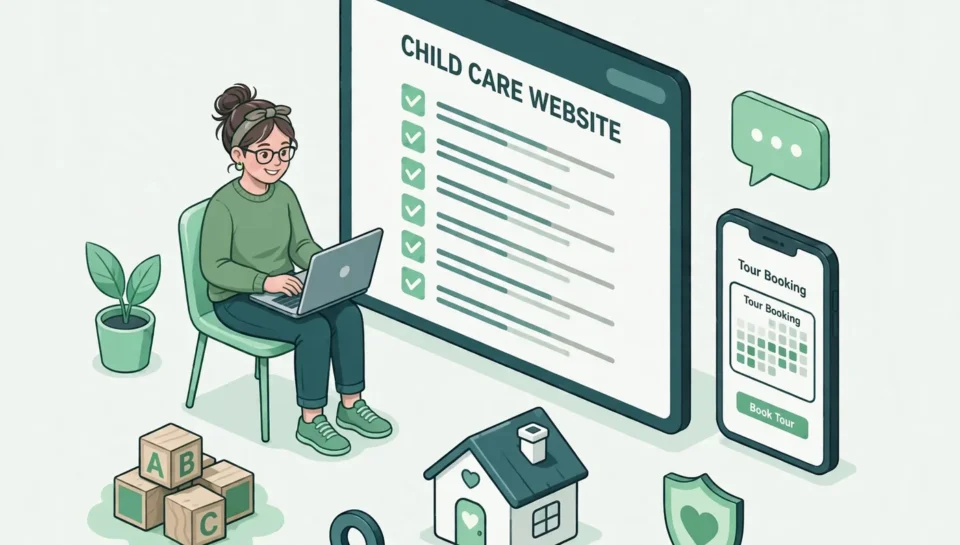
A parent searching for child care is not simply browsing attractive websites. They are trying to answer urgent questions: Do you serve my child’s age group? Are your hours compatible with my schedule? Can I trust your program? Is there space available? How do I request a tour? If those answers are difficult to find, the parent may leave without contacting you. Your staff may also spend valuable time answering the same basic questions by phone or email. This Minnesota child care website checklist helps center owners, family child care providers, preschool operators, and program administrators evaluate whether their websites support four essential jobs:
Fit: Help families determine whether the program may meet their needs.
Trust: Provide accurate, verifiable information without exposing private details.
Action: Make the next step simple.
Foundation: Ensure the website works well on mobile devices and supports local discovery.
The goal is not to publish every operational detail. It is to give families enough accurate information to make an informed inquiry.
Part One: Help Parents Determine Fit
1. State whom you serve and where you serve them
Your homepage should quickly explain:
• the type of program you operate;
• the ages or program groups you serve;
• your city or service area;
• your general hours or schedule; and
• the primary next step, such as requesting a tour or joining a waitlist.
Avoid relying on a broad headline such as “quality care for every child.” It sounds positive, but it does not help a parent
decide whether your program serves infants, preschoolers, school-age children, or a particular community.
A clearer opening might be:
Licensed child care in Burnsville for infants, toddlers, and preschoolers, with weekday care and scheduled tours for
prospective families.
Use only descriptions that accurately match your current program, license, and availability
2. Create clear program information for each age group
Parents should not have to interpret one general paragraph to understand whether your program fits their child. If your offerings differ by age group, explain the important differences.
Useful details may include:
- age range;
- typical daily rhythm;
- learning and play approach;
- meals or snacks;
- rest arrangements;
- outdoor activity;
- family communication; and
- transition between program levels.
Do not publish staff-to-child ratios, curriculum claims, accreditations, or program features unless they are current and verifiable. If your offerings change, assign someone to update the website.
3. Explain hours, scheduling, and availability honestly
Hours and availability are often deciding factors. Publish regular operating hours and explain how families can ask about openings. If availability changes frequently, do not post “spots available” unless the website can be updated reliably. A safer approach is to explain the inquiry process: Availability changes by age group. Contact us with your child’s age and preferred start date for current information. If your program has a waitlist, explain what joining it means, what information is required, and whether joining guarantees a place. Clear wording prevents confusion and reduces unqualified inquiries.
4. Address tuition and practical policies at the right level
Some providers publish tuition; others provide it after learning a family’s schedule and program needs. Either approach can work if the website clearly explains how families receive accurate information. At minimum, consider addressing:
- whether rates vary by age or schedule;
- whether meals, supplies, registration, or other items may be separate;
- how to request current tuition information;
- accepted payment or assistance programs, when verified; and
- where families can review major enrollment policies.
Do not post outdated rates. If pricing changes often, offer a current rate sheet through a controlled inquiry process.
Part Two: Build Trust With Verifiable Information
5. Make licensing and quality information easy to verify
Minnesota families can review public program information through the state’s Licensing Information Lookup. The tool can display license status, license number, service type, monitoring information, and licensing actions for covered programs. Parent Aware also gives families tools for finding and evaluating child care. Your website can help families verify your program by using the exact licensed business or program name and linking to the appropriate public record or Parent Aware profile when available. Do not imply that a rating, accreditation, license status, or monitoring result is different from what the official source shows.
The Minnesota Department of Children, Youth, and Families explains that licensing standards exist to protect children’s health and safety and that current requirements should be checked through official state sources. Requirements and agency guidance can change, so link to the official source rather than copying large amounts of regulatory text onto your website.
6. Introduce the people responsible for care
Families want to understand who leads the program and who will communicate with them. A staff or leadership section may include:
- names and roles;
- relevant credentials or experience that can be verified;
- languages spoken, when staff have approved publication;
- the program’s approach to family communication; and
- a professional photograph, with permission.
Avoid publishing unnecessary personal details. A trustworthy staff page is specific enough to establish credibility but careful enough to protect employee privacy.
7. Show the real environment responsibly
Original photos can help families understand the setting better than generic stock images. Consider showing entrances, learning areas, outdoor spaces, common areas, and materials that accurately represent the program. Use images of children only when you have documented permission appropriate for public website use. Do not publish full names, schedules, classroom locations, or other details that could identify a child’s routine. Confirm your consent and privacy process with qualified advisers. Every meaningful image should also have useful alternative text. The W3C accessibility guidance recommends text alternatives for non-text content and emphasizes content that people can perceive, operate, and understand.
8. Answer trust questions before asking for a tour
A parent should not have to schedule a tour just to learn the basics. Use a dedicated FAQ section to answer questions such as:
- Which age groups do you serve?
- What are your regular hours?
- How do families receive daily updates?
- How do you handle meals, rest, and outdoor time?
- How can a parent review licensing information?
- What is the tour and enrollment process?
- How do families ask about current openings?
Answers should be direct, current, and written in plain language. If a policy varies by classroom or child, explain that the final answer is confirmed during the inquiry or enrollment process.
Part Three: Make the Next Step Simple
9. Use one primary call to action
Choose the most appropriate next step for prospective families. It may be:
- Request a tour;
- Ask about availability;
- Join the waitlist; or
- Speak with the program director.
Use the same primary call to action consistently on the homepage and program pages. Too many competing buttons can make the next step less clear. The call to action should also set expectations. “Request a tour” is clearer than “Submit” because it tells the visitor what will happen next.
10. Keep the inquiry form short and purposeful
Ask only for information your team needs to respond. A first-contact form may need:
- parent or guardian name;
- email or phone number;
- child’s age or expected age at enrollment;
- preferred start date;
- schedule needed; and
- a brief question or message.
Avoid collecting sensitive medical, financial, or family information through a general marketing form. Move detailed enrollment information into an appropriate, secure process after the initial inquiry. Test the form from beginning to end. Confirm that the submission reaches the right staff member, the visitor receives an appropriate confirmation, and the process works on a phone.
Part Four: Strengthen the Website Foundation
11. Design for mobile use, accessibility, speed, and security
Many parents will research programs from a phone while commuting, working, or caring for a child. Google uses the mobile version of a site’s content for indexing and ranking and recommends responsive web design because it is comparatively easy to implement and maintain. Review Google’s mobile-first guidance when evaluating your site. On a phone, verify that:
- text is readable without zooming;
- menus and buttons are easy to use;
- the phone number is tappable;
- forms do not require excessive typing;
- important information is not hidden behind difficult interactions;
- images do not shift the page unexpectedly; and
- pages load promptly on ordinary mobile connections.
Google’s Core Web Vitals guidance measures real-world loading performance, responsiveness, and visual stability. These metrics are useful diagnostic signals, but they should be reviewed alongside the complete parent experience. Use HTTPS, keep the website platform and plugins updated, restrict administrator access, and document who is responsible for maintenance. NBE’s own website security page provides an example of explaining security practices in plain language.
12. Connect the website to local search accurately
Your business name, location or service area, phone number, hours, and website should be accurate and consistent across your website and Google Business Profile. Google advises businesses to keep profile details current so customers can find and understand the business on Search and Maps. Each important program or service page should have a descriptive title and explain the actual offering in natural language. Avoid repeating city names or keywords unnaturally. If appropriate, a developer can add LocalBusiness structured data to help Google understand factual business information such as name, address, hours, telephone number, and URL. Structured data does not guarantee a special search result and must match visible, accurate page content. For additional local guidance, read NBE’s article on local SEO for Minnesota community organizations.
A 15-Minute Child Care Website Self-Audit
Open your website on a phone and answer each question with Yes, No, or Needs updating:
- Can a new visitor identify the program type, age groups, and location immediately?
- Are regular hours and the availability process clear?
- Does each program description answer practical parent questions?
- Is tuition information provided, or is the process for getting it clear?
- Can families verify the correct program name and licensing information?
- Are staff roles and credentials accurate and approved for publication?
- Do photos represent the real environment and follow your permission process?
- Is there a useful FAQ section?
- Is one primary next step obvious?
- Is the inquiry form short, secure, and working?
- Can a visitor call or request a tour easily from a phone?
- Is the content accessible and readable?
- Do important pages load without frustrating delays or layout shifts?
- Do website and Google Business Profile details agree?
- Is one person responsible for keeping the website current?
The most important “No” answers become your improvement list. Fix accuracy, trust, and contact-path problems before adding decorative features.
How Najah Brand Elevation Can Help
Najah Brand Elevation’s Website Design & Optimization service helps businesses plan, build, test, and improve websites around real customer journeys. For a child care provider, that means organizing information so families can understand the program, evaluate fit, and take the next step without unnecessary confusion. The right solution may be a focused update rather than a complete redesign. Begin with an audit of the current website, inquiry process, mobile experience, local information, and content responsibilities. Improve the business first, then choose the service that matches the verified need.
Frequently Asked Questions
What pages should a Minnesota child care website have?
Should a daycare website list tuition?
Should a child care provider publish its license number online?
How often should a child care website be updated?
Can a better website guarantee more enrollment?
Do child care websites need to be accessible?
Conclusion
A strong child care website does not need to be complicated. It needs to be accurate, trustworthy, easy to use, and built around the questions families ask before they contact you. Start with the four essentials: help parents determine fit, provide verifiable trust information, make the next step simple, and maintain a reliable technical foundation. Then assign ownership so the website remains accurate after launch. If your current website leaves families with unanswered questions, contact Najah Brand Elevation to request a child care website assessment. We can help identify what should be clarified, improved, or rebuilt before recommending the appropriate next step.